POS Payment Solutions for Restaurants and Retailers
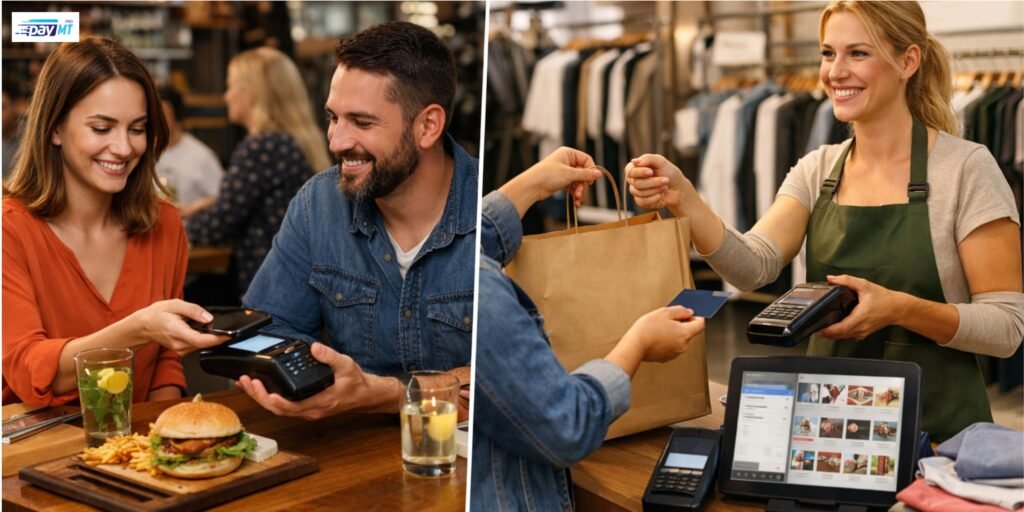
If payments feel slow or messy, your whole business feels slow or messy. You see it in long lines, rushed staff, missed orders, and end-of-day totals that never match your expectations.
A POS system should make payment simple. It should also help you keep track of sales, refunds, tips, and reporting without extra effort. The goal is not fancy features. The goal is fewer mistakes and smoother shifts.
This blog explains POS payment solutions for restaurants and retailers. You will learn what a POS system does, what features matter most for each type of business, what to check in pricing, and how to set up the system without chaos.
Objective
To help you understand POS payment solutions, you can choose a system that speeds up payment, reduces errors, and supports daily operations.
Key Takeaways
- A POS system is more than a card reader. It connects payments, receipts, refunds, and reporting.
- Restaurants and retailers need different POS tools because their workflows differ.
- Hardware reliability and staff training matter as much as software features.
- Processing fees and contracts can hide costs, so you should check the total monthly impact.
- A well-planned setup prevents checkout issues and staff confusion.
Table of Contents
- What POS Payment Solutions Are
- Restaurant vs Retail: Different Workflows, Different Needs
- Must-Have Features in POS Payment Solutions
- Payment Methods Customers Expect
- Hardware Choices That Affect Speed and Downtime
- Fees, Contracts, and What to Ask Before Signing
- Security Basics You Should Not Skip
- A Practical Setup Plan for Switching POS Systems
- FAQs
- Conclusion
1. What POS Payment Solutions Are
POS stands for point of sale. It is the system you use to complete a sale and record it.
Most POS payment solutions for restaurants and retailers include:
- a register screen, tablet, or terminal
- a card reader for chip, swipe, and tap
- software that records items sold and totals
- receipts by print or email
- tools for refunds, discounts, and voids
- basic reports for sales, staff, and busy times
Some systems also connect with:
- inventory tracking
- online ordering or e-commerce
- accounting tools
- loyalty programs
If you are choosing a POS, start by thinking about your daily routine. How does an order start, move through the business, and end as payment?
2. Restaurant vs Retail: Different Workflows, Different Needs
Restaurants and retailers both take money, but they do it in very different ways.
What restaurants often need
Restaurants usually deal with:
- table service or counter service
- modifiers, like no sauce or extra cheese
- tips
- split payments
- sending orders to the kitchen quickly
- adjusting orders after they are placed
A restaurant POS should help staff move fast without skipping steps.
What retailers often need
Retail stores usually deal with:
- scanning many items quickly
- tracking stock and product variants
- returns and exchanges
- discounts and price overrides
- customer purchase history for service and returns
Retail POS is often about speed, accuracy, and inventory control.
3. Must-Have Features in POS Payment Solutions
Before you look at add-ons, make sure the essentials are solid. Most problems come from weak basics.
Look for:
- Fast checkout flow: fewer screens, fewer taps
- Reliable payments: chip, tap, swipe, and manual entry when needed
- Refund and void controls: not everyone should have access
- Clear end-of-day closeout: totals should be easy to reconcile
- Staff logins: track sales by user and shift
- Simple reports: sales by day, item, category, and time
- Offline handling: understand what happens if the internet drops
Restaurant features that matter most
If you run a restaurant, prioritize:
- modifiers and notes that are easy to add
- split checks without confusion
- tip prompts that are clear for customers
- kitchen printing or kitchen display options
- the ability to hold and reopen tickets
Retail features that matter most
If you run a retail store, prioritize:
- barcode scanning support
- inventory count tools
- product variants like size and color
- fast returns and exchanges
- low-stock alerts
4. Payment Methods Customers Expect
Most customers expect quick payment and simple options. If you make them wait, they notice.
Common payment methods include:
- chip card payments
- tap payments
- mobile wallets like Apple Pay and Google Pay
- manual entry for phone orders, when needed
- gift cards, if your business uses them
What restaurants should watch for
- Tip screens should be easy to understand
- Split payments should not slow down the staff
- Receipts should handle tip adjustments if your process needs it
What retailers should watch for
- Tap payments should work fast and consistently
- Returns should be simple and tracked properly
- Receipts should be easy to find for returns and customer service
If you also sell online, ask how the POS handles online orders and whether inventory can stay in sync.
5. Hardware Choices That Affect Speed and Downtime
The hardware you choose affects how quickly staff can work and how often you encounter issues.
Common hardware includes:
- touchscreen terminal or tablet
- card reader
- receipt printer
- cash drawer
- barcode scanner (retail)
- kitchen printer or kitchen display (restaurant)
Practical hardware tips
- Busy counters often do better with a stable, wired setup.
- Handheld devices can help restaurants turn tables faster.
- Retail stores with many items should use barcode scanners to reduce errors.
- Always ask how replacements work if a device fails during business hours.
Downtime is not just annoying; it can stop sales as hardware reliability matters.
6. Fees, Contracts, and What to Ask Before Signing
Some pricing looks cheap until you see the full list of fees. Your job is to understand the real monthly cost.
Possible costs include:
- processing fees per transaction
- monthly software fees
- equipment purchase or rental
- chargeback fees
- early termination fees
- support costs for certain issues
Questions to ask that get clear answers
- If I process $10,000 per month, what will I pay in total?
- If I process $30,000 per month, what changes?
- Are rates fixed, or can they change later?
- Is there a contract term, and what happens if I cancel?
- What is included in support, and what costs extra?
If a provider cannot answer with examples, keep looking.
7. Security Basics You Should Not Skip
You do not need to know every technical detail. You do need the basics handled.
Look for:
- PCI compliance support
- encrypted card data
- user permissions and role-based access
- secure logins and staff PINs
- regular software updates
Also set simple staff rules:
- never write down card numbers
- never use personal devices for payments
- limit who can issue refunds and voids
- keep terminals in view to reduce misuse
Security is not only about hackers. It is also about preventing avoidable mistakes.
8. A Practical Setup Plan for Switching POS Systems
A POS switch can go smoothly, but only if you treat it like a small project.
Use this plan:
- List your daily tasks
- taking orders
- taking payments
- handling tips, refunds, and voids
- closing out at the end of the day
- Write your must-haves
- what you need on day one
- what can wait until later
- Build your menu or product list carefully
- correct prices
- correct taxes
- correct categories
- Set staff roles and permissions
- cashier vs manager access
- refund rules
- discount limits
- Train staff with real examples
- run practice sales
- practice returns
- practice split checks if you are a restaurant
- Test during a slower period
- fix problems before peak hours
- Have a backup plan for week one
- extra receipt rolls
- a second card reader, if possible
- clear support contact info
This reduces stress and prevents “learning on customers.”
FAQs
1) What is the difference between a POS system and a card terminal?
A card terminal processes payments. A POS system records the full sale, tracks items, handles refunds, and produces reports. Most businesses use a POS because they need more than payment approval.
2) What POS features matter most for restaurants?
Restaurants usually need quick order entry, modifiers, split checks, tip handling, and a way to send orders to the kitchen. If these features are slow or confusing, staff will make mistakes under pressure.
3) What POS features matter most for retailers?
Retail stores usually need barcode scanning, inventory tracking, easy returns, and support for product variants such as size and color. These tools reduce pricing mistakes and help keep stock accurate.
4) Do POS systems work if the internet goes down?
Some do, but it depends on the system. Ask what functions still work offline and how transactions sync later. Also, ask what happens if a payment cannot be approved in real time.
5) How do I estimate the real monthly cost of a POS system?
Do not rely on a single rate. Ask for a sample breakdown based on your average monthly volume and average ticket size. Include software fees, hardware, support, and any contract charges.
6) Can I use one POS system for both in-store and online sales?
Many systems can connect to e-commerce or online ordering, but not all sync inventory cleanly. If you sell online, ask how stock updates and how refunds are handled across channels.
7) How can I reduce chargebacks and disputes?
Use clear receipts, train staff on refunds, and keep your return policy visible. For restaurants, make sure tip adjustments are recorded properly. For retail, make sure returns are tracked and approved when needed.
8) How long does it take to switch POS systems?
It depends on how many items you sell and how many staff need training. The faster you load your products and practice common tasks, the smoother the change will be.
Conclusion
Good POS payment solutions for restaurants and retailers should make day-to-day work easier. That means faster checkout, fewer errors, and sales records that actually match your closeout totals. The best system is the one that fits your workflow, not the one with the longest feature list.
When you compare options, focus on three things: how your staff will use it during peak hours, the total monthly cost based on your actual sales, and how quickly you can get support when something goes wrong. PayMT Pro strives to provide the best POS payment solution for restaurants and retailers.