Top Payment Solutions for Automotive Service Shops
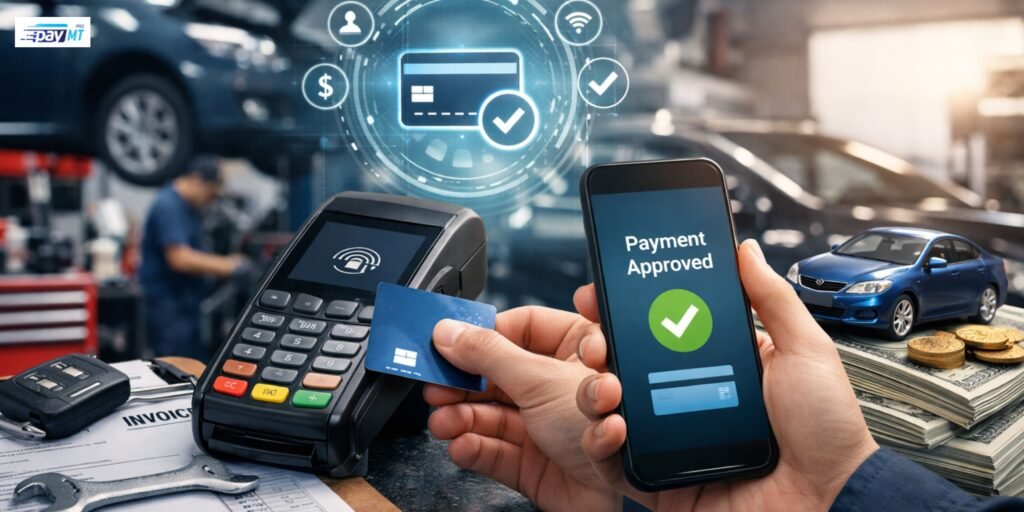
You spend your days under hoods and on creepers, not wrestling with payment terminals. But collecting money is still part of the job, and a clunky payment system makes everything more complicated than it needs to be.
Most auto shop owners stick with whatever payment setup they started with years ago. The fees keep creeping up. The equipment freezes at the worst times. Nothing syncs with the shop software. But switching sounds like a huge pain, so they deal with it.
PayMT Pro works exclusively with automotive businesses, and here’s what we know : automotive payment solutions should make your life easier, not create another thing to fix. This blog will discuss what actually works for auto shops and what you should avoid.
Why Basic Card Readers Don’t Cut It for Auto Shops?
Walk into most repair shops, and you’ll see the same old card reader gathering dust on the counter. There could be a cash drawer underneath. That’s the whole payment setup.
This creates problems you might not even notice anymore. You’re entering customer information into two systems because the card reader doesn’t communicate with your shop software. Your end-of-day reconciliation takes forever because nothing matches up right. Customers stand around waiting while you fumble through the checkout process.
Large repair jobs make it worse. You need a deposit before ordering parts. The customer has to approve your estimate. Then they pay the balance at pickup. With an introductory card reader, the customer has to be physically standing in your shop for each of these steps, or you’re taking card numbers over the phone like it’s 1995.
Fleet accounts create even more headaches. They want detailed invoices breaking down every part and labor charge. They pay with special fleet cards that don’t work in regular terminals. Some prefer monthly billing instead of per-visit billing. A simple card reader can’t handle any of this.
Your margins are already tight. You can’t afford to waste time on payment hassles or lose money to excessive processing fees. The right system fixes these problems instead of creating them.
Understanding Payment Processing Costs
Payment processing fees confuse most shop owners on purpose.
Every card transaction gets split three ways. The bank that issued the card takes the most significant cut through interchange fees. Visa and Mastercard set these rates, so you can’t negotiate them. That’s just the cost of taking cards.
Your payment processor takes the second cut for providing equipment and service. This is where rates vary wildly. One processor charges 2% while another charges 3.5% for the same transaction.
Then there are monthly fees for equipment, software, PCI compliance, statements, and whatever else they come up with. Some processors hide these in fine print. Others tell you upfront.
The pricing model matters more than you’d think. Flat-rate pricing charges the same percentage on everything, which sounds simple but ends up costing more. Interchange-plus pricing shows the actual interchange fee plus a small markup, which is usually cheaper for shops with higher average ticket sizes. Tiered pricing sorts transactions into categories, but processors manipulate which tier your transactions fall into to charge more.
Here’s what processors won’t tell you: shops averaging over $200 per ticket almost always save money with interchange-plus pricing. If you’re mainly doing oil changes, a flat rate might work. If you’re doing brake jobs and transmission work, you’re probably overpaying.
Payment Methods Your Shop Actually Needs
You need more than just a card reader in 2026. Customers expect options.
All major credit and debit cards are accepted: Visa, Mastercard, American Express, and Discover. Your equipment needs chip readers, not just magnetic stripe readers. If you’re still swiping cards, you’re personally liable for any fraud.
Contactless payments exploded after the pandemic: Customers tap their card or phone, and they’re done in two seconds. Apple Pay, Google Pay, and Samsung Pay all work through contactless readers. Younger customers especially expect this option.
ACH bank transfers make sense for expensive repairs: They cost you less in fees than credit cards. The catch is they take a few days to clear, so you decide if you’re comfortable releasing vehicles before the money hits your account.
Fleet cards are essential if you want commercial business: WEX, Voyager, FleetCor – these cards work differently from regular credit cards, and not all payment systems handle them.
Online payment portals let customers pay from anywhere. Email an invoice with a payment link, and they handle it from work or home. This works excellently for estimate approvals where they can review the work, approve it, and pay the deposit all from their phone.
Features That Actually Matter for Auto Shops
Some features sound impressive, but don’t help your daily work. Others make a huge difference even though they seem dull.
Integration with shop management software is the biggest one. If your payment system syncs with Tekmetric, Mitchell, Shop-Ware, or whatever you use, you only enter each transaction once. Everything is recorded automatically. Your books balance themselves.
Reconciliation takes five minutes instead of an hour.
PayMT Pro focuses specifically on automotive integrations because we’ve seen how much time shops waste on double entry. The connection between payment processing and shop management needs to work smoothly, or it creates more problems than it solves.
Mobile payment capability lets you process cards anywhere in your shop. Finish a job and take payment right there in the bay instead of making customers walk to the counter. They appreciate the convenience, and you’re not leaving them waiting.
Detailed reporting shows more than daily totals. You see average ticket trends, which payment methods customers prefer, what you’re paying in processing fees by card type, and patterns that help you make smarter decisions.
Payment plans help customers afford larger repairs. Your system should automatically handle recurring charges, so you don’t have to process payments each month.
Security features aren’t optional. End-to-end encryption, tokenization, and PCI compliance keep you out of legal trouble and prevent liability for fraudulent transactions.
Picking a Payment Processor
Payment processors all claim to offer the best rates and service. Here’s how to cut through the sales pitch.
Ask them to list every fee, not just the advertised transaction rate. Monthly fees, terminal fees, batch fees, PCI fees, statement fees, chargeback fees – add them all up. The processor with the lowest advertised rate often makes money back through junk fees.
Check the contract terms. Month-to-month agreements are ideal because you can leave if you’re unhappy. Multi-year contracts with termination fees are red flags. Why do they need to trap you if their service is excellent?
Ask about equipment. Is it included or rented? Can you buy it outright? What happens when it breaks? Some processors lease equipment at ridiculous markups, costing you thousands for a terminal worth a few hundred bucks.
Test customer support before signing. Call their support line. See how long you wait. Ask a technical question and see if they actually know the answer or just read from a script.
Payment problems need fast solutions.
Get specific details about shop software integration. How does the connection work? What data syncs and how often? Vague answers mean they probably don’t have real integration, and you’ll be doing manual entry.
Watch out for processors who can’t clearly explain their fees. If they’re being confusing on purpose, they’re hiding something.
Common Mistakes Shop Owners Make
Most shops make the same payment processing mistakes. You can avoid them.
Sticking with your first processor forever costs you money. Rates and technology improve. Shopping around every couple of years usually finds better deals, but most shops never bother.
Ignoring integration results in wasted hours each week. Manually entering payment data into shop software is something computers should do automatically. Cosmetic and Family Dentistry practices and auto shops both waste tons of time on this.
Choosing the cheapest option often backfires. Unreliable equipment breaks when you need it. Terrible support leaves you stuck for days. Hidden fees add up to more than a slightly higher rate from a quality provider.
Not reviewing monthly statements lets processors add fees or change rates without you noticing. Your statement shows exactly what you’re paying. Look at it once a month.
Poor staff training leads to expensive mistakes. Wrong refund processing, incorrect card types, missed charges – these errors cost real money. Train your team properly once and save thousands over the year.
What’s Coming in Payment Technology?
Payment technology is constantly evolving, shaping how customers view your business.
Contactless payments are becoming the expected standard. Customers want to tap and go. Making them insert a chip card feels outdated, even if it only takes a few extra seconds.
Mobile wallet adoption continues to grow, especially among younger customers. They don’t carry physical cards. Everything lives on their phone. If you can’t accept Apple Pay or Google Pay, you’re creating friction.
Buy now, pay later services are appearing in the automotive industry. Companies like Affirm and Klarna let customers split large purchases into installments. Some shops are starting to offer this for significant repairs.
The overall trend is faster, more convenient payment experiences. Customers notice when checkout is smooth. They also notice when it’s clunky. Your payment process shapes their impression of your entire business more than you realize.
Making Your Decision
Your payment setup either helps or hurts your business. If you’re constantly frustrated with slow transactions, confusing fees, or systems that don’t work together, that’s costing you money every day.
The right payment solution handles everything without drama. Multiple payment types, clean shop software integration, solid security, transparent pricing – these should be standard, not special features.
Figure out what bugs you most about your current setup. Slow transactions? High fees? No integration? Bad support? Then look for solutions that fix those specific problems, rather than chasing fancy features you’ll never use.
PayMT Pro built our platform around what automotive shops actually need in daily operations, not what sounds impressive in marketing. We focus on fundamentals that matter – reliability, integration, support, and honest pricing.