Payment Processing Solutions for Local Businesses and Retailers
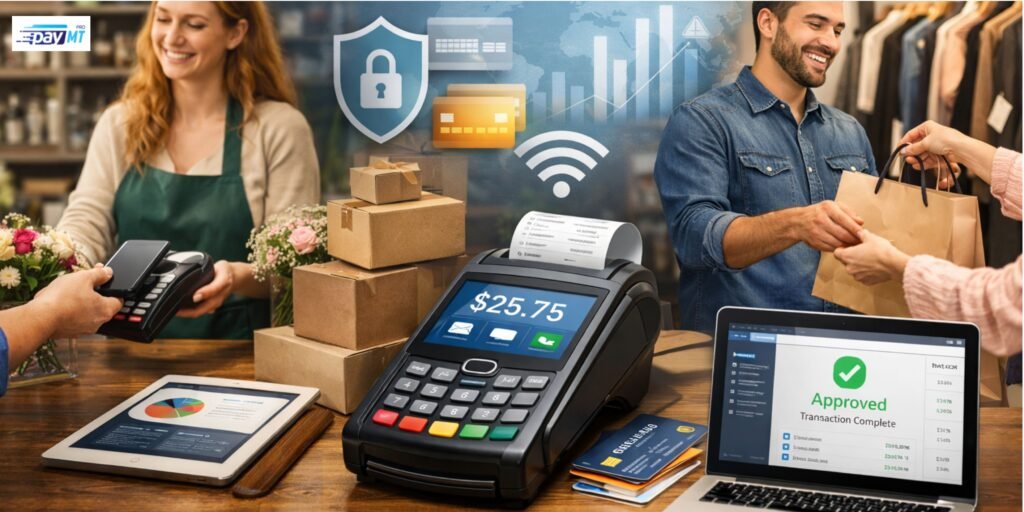
If you run a local store, you already know the pressure points: lines form at the counter, customers want to tap and go, someone asks for a refund, another person wants to split a bill, and at the end of the day you just want the money to land in your account without surprises.
That’s what payment processing solutions for local businesses and retailers are meant to support. They are the tools and services that let you accept card and digital payments, submit requests for approval, and move funds into your business account.
You’ll see many provider names in this space, including PayMT Pro. This guide is not here to sell you anything. It’s here to help you understand how payment processing works, what choices you have, and how to pick a setup that fits your store and your customers.
Objective
By the end of this guide, you will be able to:
- Understand how payment processing solutions work in plain language
- Compare standard payment processing solutions for retailers without getting lost in fees
- Spot the features that matter for your checkout, returns, and reporting
- Reduce mistakes that lead to chargebacks, delays, and unhappy customers
Key Takeaways
- Payment processing solutions help you accept payments in-store, online, and on the go, while keeping records tidy.
- The best setup depends on your store type, your average sale amount, and how often you do refunds and exchanges.
- Fees are easier to judge when you look at the whole month, not a single rate on a sales page.
- Security is not just a tech topic. It’s also about your daily habits and staff training.
- Small choices at checkout, such as receipt clarity and refund rules, can reduce disputes and chargebacks.
Table of Contents
- What Payment Processing Solutions Actually Do
- How Payment Processing Works Step by Step
- Payment Processing Solutions for In-Store Retail
- Payment Processing Solutions for Online and Mobile Sales
- Payment Processing Fees Explained Without the Confusion
- What to Check Before You Sign Any Payment Processing Agreement
- Security Basics: PCI Compliance and Fraud Prevention
- Chargebacks, Disputes, and Refunds: What You Can Control
- A Practical Checklist to Choose the Right Payment Processing Solution
- FAQs About Payment Processing Solutions
What Payment Processing Solutions Actually Do?
Here’s the thing. Most store owners don’t need a profound tech lesson. You need a payment setup that works every day, under pressure, with real customers waiting.
Payment processing solutions usually cover three jobs:
A) Accept the payment
This is the part you see at the counter or on your website.
- Card reader or terminal
- Tap, chip, swipe support
- Mobile wallet payments
- Online checkout or payment link
B) Get approval
Your payment request gets sent to the card network and the customer’s bank.
- The bank checks funds and fraud signals
- It sends back approved or declined
- Your system confirms the sale and issues a receipt
C) Deposit the money
Your funds are grouped and deposited later, often in one or two business days, depending on your agreement.
What this really means is simple. A good payment processing solution for retailers lets you take payments quickly, track them clearly, and get deposits on time.
How Payment Processing Works Step by Step?
Payment processing can seem complicated because money is moving across multiple systems. But the steps are predictable.
The simple flow
- Your customer pays. They tap, insert, or pay online.
- Your system sends the request. The payment goes through the payment network.
- The bank decides. The bank approves or declines the payment.
- The sale is confirmed. Your POS records it and creates a receipt.
- Funds are deposited. You receive the money after the settlement window.
Why this matters for your store
If any step breaks, you feel it right away.
- Declines can lose sales
- Slow terminals cause long lines
- Delayed deposits hurt cash flow
- Poor receipts lead to disputes later
So when you compare payment processing solutions, you are really comparing reliability, speed, and clarity.
Payment Processing Solutions for In-Store Retail
Most local retailers live and die at the counter. If the checkout is smooth, the rest of the day feels easier. If the checkout is messy, everything backs up.
Common in-store payment processing setups
A) Countertop terminal
This is the classic card machine. It works well if your store is simple and you do not need advanced inventory tools.
Best for:
- Small shops with a limited product range
- Stores with one or two checkout points
- Businesses that want a straightforward setup
B) POS system with a terminal
A POS system tracks items, tax, discounts, and staff sales. The terminal handles card payments, but the POS keeps your store organized.
Best for:
- Retailers with more products
- Stores that need returns and exchanges often
- Shops with staff shifts and multiple users
C) Integrated POS and payments
Some setups combine POS and payments in a single system, so receipts, refunds, and reports are tied together.
Best for:
- Stores that want cleaner reporting
- Businesses that do frequent refunds
- Retailers that need better item-level sales data
Features that usually matter most in retail payment processing
You do not need every feature. You need the right ones.
- Fast tap and chip support
- Easy refunds and exchanges
- Clear receipts with your store name displayed properly
- Staff roles, so not everyone can issue refunds
- Daily sales summary and payout tracking
If you want a straightforward rule, here it is. Your checkout should feel calm, even when your store is busy.
Payment Processing Solutions for Online and Mobile Sales
Many local stores now sell in more than one way. Even if you are not a full online store, you might still take deposits, pre-orders, or invoice payments.
A) Online payment processing solutions
Online payments usually involve a checkout page, a payment link, or an integrated cart on your website.
Common uses:
- Order ahead and pick up
- Gift card sales
- Appointment deposits
- Invoice links for repeat customers
What to look for:
- Simple checkout steps
- Fraud checks for online transactions
- Easy refunds for online orders
- Confirmation emails that reduce customer confusion
B) Mobile payment processing solutions
Mobile payments work when your staff sell away from your main counter.
Common uses:
- Pop-up stalls and weekend markets
- Food trucks
- Delivery teams
- On-site services and repairs
What to look for:
- Reliable connection options
- Quick receipts by text or email
- Battery life that lasts through a shift
- A backup plan if the signal drops
If you sell in multiple places, your payment processing solutions should keep your records consistent across them. That makes your accounting and daily close much easier.
Payment Processing Fees Explained Without the Confusion
Let’s break it down. Fees feel confusing because they appear in different places. Some are charged per transaction. Some are monthly. Some only show up when something goes wrong, like a chargeback.
What changes your payment processing fees
Fees often vary depending on how payment is made.
- In-store tap is usually lower risk than online payments
- Online payments often have a higher fraud risk
- Rewards cards can cost more than basic debit cards
- Minimal sales can get hit harder by per-transaction charges
A practical way to compare fees
Instead of chasing one “low rate,” do this:
- Estimate your average monthly sales
- Count your expected number of transactions
- Add your typical number of refunds
- Compare the full month cost across providers
That approach makes payment processing solutions for local businesses easier to evaluate, as it aligns with your actual store activity.
What to Check Before You Sign Any Payment Processing Agreement
This part saves you headaches later. Many store owners only notice the fine print after something goes wrong.
Ask these questions before you commit.
- How long do deposits take, and does that change on weekends?
- What is the refund process, and how long do refunds take to settle?
- What happens if the terminal fails, and how fast is replacement?
- Do you pay extra for support, or is support included?
- Are there penalties if you cancel early?
Look for clarity in these areas.
- Payout schedule and settlement timing
- Complete fee list, including chargebacks and PCI-related fees
- Hardware ownership and warranty
- Reporting access and export options for accounting
This is also where you might compare providers such as PayMT Pro and others in the market. The key is not the brand name. The key is whether the agreement aligns with how your store operates.
Security Basics: PCI Compliance and Fraud Prevention
Security does not need to feel scary. The goal is to protect your customers and protect your store from avoidable loss.
What PCI compliance means in simple terms
PCI compliance is a set of rules for handling card payments safely. Most modern terminals help with this by encrypting card data. Still, your store habits matter.
Simple security habits that actually help
- Do not write down card numbers, ever
- Keep your POS logins unique for each staff member
- Use strong passwords and change default passwords
- Update your POS software when updates are available
- Limit who can process refunds and manual entries
Fraud prevention tips you can use right away
- For large purchases, check ID when it fits your store policy
- Train staff to watch for rushed behavior and odd requests
- For online orders, use address checks and order confirmation steps
- Keep clear proof of delivery for shipped items
Good payment processing solutions support secure transactions, but it’s your staff training that keeps it consistent.
Chargebacks, Disputes, and Refunds: What You Can Control
Chargebacks happen when a customer disputes a card charge with their bank. Sometimes it is fraud. Sometimes it is confusion; sometimes it is a service issue that could have been resolved at the counter.
Common chargeback triggers in retail payment processing
- The customer does not recognize your business name on the statement
- The receipt is unclear or missing details
- The refund policy was not explained
- A refund was delayed or not processed properly
- An online order was delivered late or not tracked well
What you can do to reduce chargebacks?
Start with clarity. Most disputes are caused by confusion.
- Make your business name recognizable on receipts
- Put refund rules at the counter and on receipts if possible
- Keep proof for higher-value sales
- Respond quickly when customers complain
- Use tracking and delivery proof for online orders
Refunds also matter here. If your refund process is slow or inconsistent, customers get impatient and call the bank instead.
FAQs
1) What are payment processing solutions, and why do local businesses need them?
Payment processing solutions are services and tools that let you accept card and digital payments, approve sales, and deposit funds into your business account. Local businesses need them because many customers now expect tap-and-card payments, and you also need clean records for returns, reporting, and taxes.
2) How can you compare payment processing fees without getting misled?
Start by looking at your whole month, not a single advertised rate. Add up your typical sales volume, number of transactions, refunds, and any monthly fees.
3) What payment processing solution works best for a retailer with frequent refunds?
If your store handles many exchanges and returns, you should focus on refund controls, receipt clarity, and staff permissions. In retail payment processing, a POS system tied to the payment terminal can reduce errors because refunds are linked to the original sale and appear clearly in reports.
4) Why do online payment processing solutions often have different fees than in-store payments?
Online payments carry a higher fraud risk because the card is not physically present. That risk can lead to higher costs in many payment processing solutions.
5) What is PCI compliance, and what should you do as a store owner?
PCI compliance is a set of basic rules for handling card payments safely. As a store owner, you should use approved terminals, keep your POS software up to date, and ensure that your staff do not store card details. Reasonable payment processing solutions support secure processing, but your daily habits keep the system safe.
6) How can payment processing solutions help reduce chargebacks in retail payment processing?
Many chargebacks start with confusion, not fraud. A good payment processing solution helps by producing clear receipts, keeping refund records organized, and giving you the details you need to respond to disputes.
Conclusion
Your payment setup should support your customers and protect your time. When your checkout is fast, your receipts are clear, and your deposits are predictable, your day runs smoother. That is what reasonable payment processing solutions for local businesses and retailers deliver. Whether you compare options like PayMT Pro or others, your best choice will be the one that fits your store’s real workflow and keeps surprises to a minimum.